
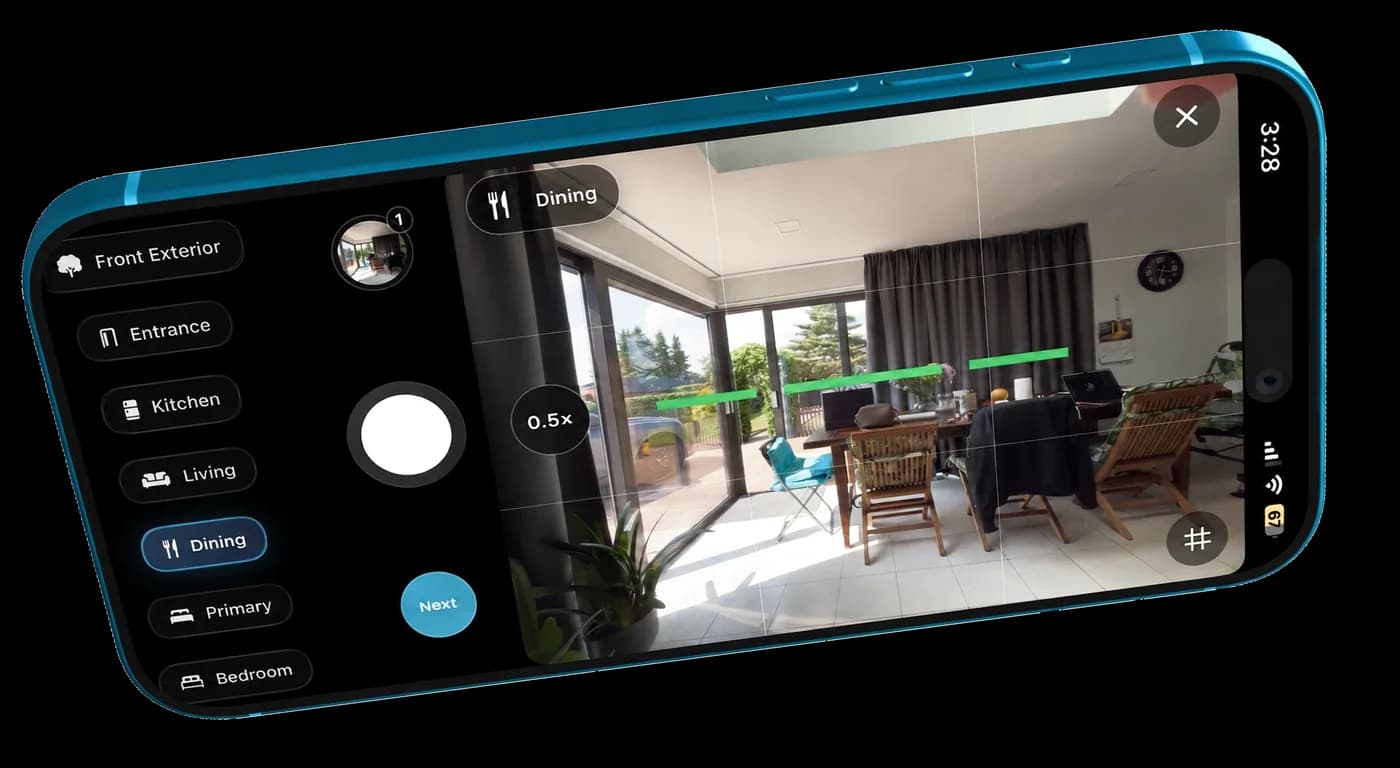
Start with a steady, honest shot
A phone can take useful listing photos when the room is prepared, the camera is level, and the shot is honest. The biggest gains usually come from steadier framing and better room prep.
- clean the room before opening the camera
- shoot from chest height or slightly lower
- keep vertical lines as straight as possible
- avoid extreme wide-angle distortion
- take a few versions of important rooms
Use the TidyAgent iOS app when you are still shooting
Use the TidyAgent iOS app when you have not shot the listing yet. It is the better fit when you want to capture and organize the set from your phone before cleanup.
- shoot a fresh listing set on iPhone
- stay focused on rooms buyers expect to see
- avoid losing photos across camera roll clutter
- move from capture to cleanup in one workflow
Use the web uploader when the photos already exist
Use the web upload when the photos already exist. That is the fastest path for seller-provided images, old listing photos, or a set you already shot with the phone camera.
- upload existing phone photos
- test the three weakest images first
- clean up light, lines, color, and distractions
- download only results that still feel accurate
Clean up the phone-shot look without faking the room
Phone photos often need a little help, but they should still show the real property. Clean up the presentation without turning the home into something buyers will not see.
- brighten rooms that photographed too dark
- balance yellow lighting
- straighten distracting room lines
- remove small visual distractions carefully
- do not invent features, views, or renovations